A productive office is not always the most expensive one. It is not necessarily filled with the newest gadgets, glowing screens, or furniture that looks impressive in photographs. Real productivity usually comes from something simpler: a workspace that removes friction, supports focus, and helps work flow naturally.
Technology plays a major role in that equation. The right tools can reduce wasted time, prevent fatigue, improve communication, and create a calmer daily rhythm. The wrong setup can do the opposite—slow systems, tangled cables, poor lighting, distracting notifications, and uncomfortable equipment that quietly drains energy.
That is why thoughtful office tech setup ideas for productivity matter. A smart workspace should serve the person using it, not demand constant attention itself.
Start with the Core Device You Actually Need
Every setup begins with the main machine: laptop or desktop. Many people chase specifications they never use while ignoring the tasks that truly define their day.
Writers, marketers, administrators, and researchers often need reliability, battery life, smooth multitasking, and a comfortable keyboard more than extreme graphics power. Designers, editors, developers, and analysts may need stronger processors, more memory, or larger storage.
Productivity improves when the device matches your workload.
Lagging systems, frequent crashes, and slow startups create hundreds of tiny frustrations over time. Stability is underrated.
Upgrade the Monitor Before Buying Random Gadgets
One of the most effective office tech setup ideas for productivity is adding a quality monitor or improving the one you already use.
A larger screen or dual-monitor setup can reduce window switching, improve document comparison, and make long work sessions easier on the eyes. Spreadsheet work, editing, research, writing, and multitasking all benefit.
Resolution and clarity matter too. Crisp text reduces fatigue more than many people realize.
For some workers, a better monitor improves output more than upgrading the computer itself.
Use Ergonomic Input Devices
People often spend hours each day touching only two things: keyboard and mouse. If those tools are uncomfortable, strain accumulates quietly.
A keyboard with satisfying key travel, logical layout, and proper height can improve speed and reduce wrist tension. A supportive mouse or trackball may ease repetitive movement issues.
No single model suits everyone. Hand size, posture, desk depth, and task type all matter.
Comfort is not indulgence. It is long-term efficiency.
Improve Lighting for Better Focus
Technology setups are often discussed in terms of screens, but light shapes concentration significantly.
Poor lighting can cause headaches, eye strain, and a dull mental atmosphere. Natural light is ideal when available. If not, use layered lighting: ambient room light plus a focused desk lamp.
Warmer light may suit evening work, while brighter neutral tones can help alertness during daytime tasks.
Good lighting also improves video calls, making communication clearer and more professional-looking without extra effort.
Clean Cable Management Reduces Mental Noise
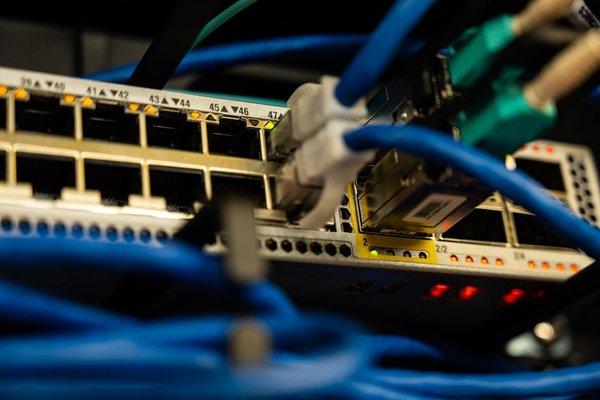
Messy cables seem minor until they are not. Tangled chargers, loose wires, and cluttered power strips create distraction, make cleaning harder, and complicate troubleshooting.
Simple cable trays, clips, sleeves, labeled chargers, or under-desk organization can transform a workspace visually and mentally.
Many strong office tech setup ideas for productivity are surprisingly unglamorous. Reducing visible chaos often helps the mind feel calmer and more ready to focus.
Invest in Reliable Internet First
Few things interrupt modern work faster than unstable internet.
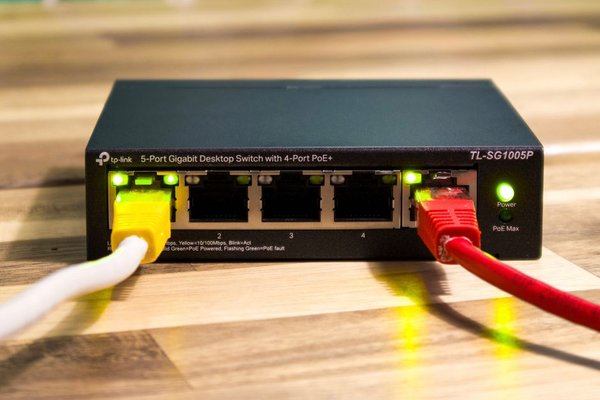
Video calls freeze, uploads fail, cloud files stall, and momentum disappears. If productivity matters, internet reliability deserves priority. That may mean better router placement, mesh systems, upgraded plans where available, or using wired connections for key devices.
A fast computer connected to weak internet still feels slow in many real-world tasks.
Connectivity is now foundational infrastructure, not a luxury.
Use Noise Control Strategically
Some people thrive in silence. Others focus better with controlled background sound. Either way, managing noise can be transformative.
Noise-canceling headphones help in shared spaces. Soft instrumental playlists, nature sounds, or white noise can create mental boundaries in busy homes or open offices.
Technology here should support attention, not become another distraction. Endless playlist browsing defeats the purpose.
Choose something simple and repeatable.
Build a Charging Ecosystem
Small interruptions matter. Searching for chargers, moving cables between rooms, or finding dead batteries breaks rhythm.
Create dedicated charging zones. Keep one charger at the desk, another in a travel bag, and perhaps a bedside option if needed. Wireless charging pads can reduce friction for compatible devices.
This sounds minor, yet repeated convenience adds up.
Good setups often succeed through many tiny efficiencies rather than one dramatic upgrade.
Use a Docking Station or Hub
Laptop users often lose time plugging and unplugging monitors, drives, power cables, ethernet adapters, microphones, and accessories.
A docking station or quality hub can turn one connection into a complete workstation instantly. Sit down, connect once, begin working.
Among the smartest office tech setup ideas for productivity, reducing setup time each morning is highly underrated.
Momentum loves simplicity.
Optimize Audio for Meetings
Remote and hybrid work made one truth obvious: poor audio damages communication faster than mediocre video.
A dedicated microphone, quality headset, or even a better-positioned mic setup can improve clarity dramatically. Echo, background noise, and muffled voices waste time through repetition and fatigue.
If meetings are frequent, audio deserves attention.
People forgive average camera quality more readily than they forgive unclear sound.
Create Digital Minimalism on the Screen
Physical desks get organized while digital desktops remain chaotic.
Too many open tabs, scattered files, endless notifications, and cluttered taskbars fragment attention. Productivity increases when the digital environment becomes cleaner.
Use folders logically. Close unused tabs. Turn off nonessential alerts. Keep only frequent-use apps visible. Use focus modes during deep work sessions.
Technology should reduce cognitive load, not multiply it.
Add Backup and Data Security Systems
Losing files destroys productivity instantly.
Automatic cloud backup, external drives, password managers, two-factor authentication, and sensible update habits protect work and reduce future crises. Many people ignore these tools until after a problem occurs.
Security can feel invisible when working well. That invisibility is the point.
Reliable systems allow concentration because you are not subconsciously worrying about disaster.
Personalize Without Overdecorating
A productive workspace should still feel human. One plant, framed photo, notebook, calming color accent, or meaningful object can make a desk more inviting.
But too many gadgets, ornaments, and novelty devices can create visual drag.
The best setups balance warmth with clarity.
Review What Actually Helps
Not every tool that feels exciting remains useful after two weeks. Periodically ask what genuinely saves time, improves comfort, or supports focus.
Remove what does not.
This principle matters because productivity setups can become consumer projects instead of work tools. The goal is not owning gear. It is working better.
Conclusion
The most effective office tech setup ideas for productivity are rarely about chasing trends or buying everything at once. They come from thoughtful choices: a reliable computer, better monitor, ergonomic tools, strong internet, clean audio, organized cables, calmer lighting, and a digital environment that respects attention.
Productivity is often less about motivation than environment. When your tools work smoothly and your workspace supports focus, good habits become easier. Technology then becomes what it should be all along—a quiet partner in getting meaningful work done.