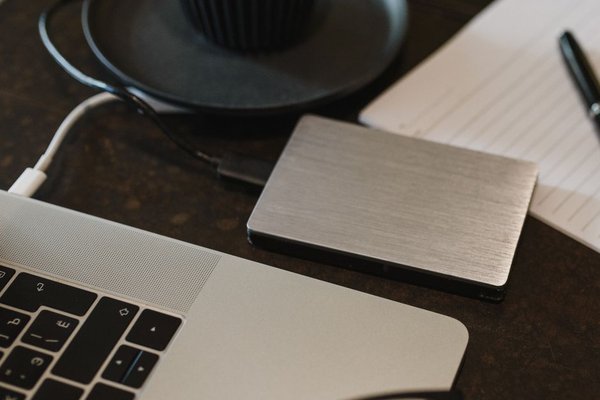
A shared folder can make a small team feel well protected: invoices are in the cloud, colleagues can open files from home, and changes appear on every laptop. But if someone deletes a folder, an account is compromised or ransomware encrypts synchronised files, that convenience may not be enough. Cloud backup for a small business in the UK is about getting usable information back after something goes wrong, not simply keeping everyone connected.
File syncing and backup solve different problems
Services such as OneDrive, Google Drive and shared cloud folders are designed primarily for working with current files. They may include version history, recycle bins and recovery features, which can be genuinely useful. However, those protections have limits that depend on the service, settings, account status and retention period.
A dedicated backup creates recoverable copies according to a schedule and retention policy. Ideally, those copies cannot all be changed or erased through the same compromised login used for everyday work. This distinction matters when a staff member accidentally overwrites a quotation, a departing employee deletes records, or an attacker gains administrator access.
Build the plan around the work you cannot lose
Make a short inventory rather than attempting to protect everything equally. Include customer records, accounts, contracts, booking information, project files, emails, website data and any specialist software databases. Note where each set lives and who can restore it.
Set recovery priorities
For each important system, agree on a recovery point objective: how much recent work could you afford to lose? A shop taking orders throughout the day may need more frequent protection than a folder containing annual policy documents.
Next set a recovery time objective: how long could that system be unavailable before the disruption becomes serious? A one-person consultancy and a busy retailer will not necessarily need the same schedule.
Keep your data backup plan somewhere accessible even when the usual office accounts are unavailable. Record the backup owner, emergency contact details, restore instructions and any encryption-key recovery procedure.
Choose a backup arrangement that survives a bad day
The familiar 3-2-1 approach means keeping three copies of important data, on two different types of storage or systems, with one copy off-site. The UK National Cyber Security Centre recommends maintaining separate copies so one failure or attack does not take everything with it.
For a small firm, that could mean working files, a protected cloud backup and a separately stored backup that is disconnected when not in use. What matters is avoiding a single account, device or incident becoming a point of total failure.
Look for automatic schedules, clear failure alerts and protection against deletion. Immutable or separately administered backups can help limit ransomware damage, but confirm how they work rather than relying on marketing language.
Decide how far back you need to recover
Keeping only yesterday’s copy may be inadequate if a corrupted spreadsheet goes unnoticed for three weeks. Consider daily versions for recent work and less frequent older recovery points where justified. Set retention according to business needs, legal obligations and storage costs rather than keeping everything forever.
Backup retention is not the same as a legal requirement to retain business records. In particular, personal data should not remain in archives indefinitely without a valid reason. Document when old backup sets expire and how they are securely deleted. A data retention policy can clarify this.
Protect the backup account as carefully as the data
A backup is only useful if it remains available and trustworthy. Turn on multi-factor authentication for administrators, restrict restore and deletion permissions, and use separate accounts where the service permits. Review access whenever someone changes role or leaves.
Confirm that data is encrypted in transit and at rest, and understand who controls encryption keys. If only one employee knows a recovery password, their absence could become its own disaster. Store recovery details securely and make sure authorised cover exists.
Consult a small business cyber security checklist for complementary defences against attacks.
What UK businesses should ask providers
When comparing UK business cloud backup options, examine the actual workload coverage. Does the service protect laptops, shared drives, Microsoft 365 or Google Workspace data, databases and website content? Do not assume a single subscription covers them all.
Ask where data is stored and whether support staff or subprocessors can access it from outside the UK. UK GDPR does not automatically forbid overseas processing, but international transfer rules and appropriate safeguards may apply.
The Information Commissioner’s Office expects security appropriate to the risks, including the ability to restore access to personal data in a timely manner and to test relevant measures. There is no universal UK GDPR rule requiring every small business to buy a particular backup package or use the same retention period.
A practical example: a five-person accountancy practice
Imagine a practice with client documents in a shared workspace, accounts files on two laptops and an appointment calendar in a cloud application. A sensible first step is to identify which records are already covered by built-in recovery features and which need independent backups.
The practice might arrange automated daily backups for working documents, more frequent protection for changing bookkeeping data, and a separate copy of critical configuration details. It could nominate a primary owner and a second person authorised to restore files, then test recovery of a completed client folder into a safe location.
Test restoration before it becomes urgent
A green dashboard confirms that a job ran; it does not prove that staff can resume working. Schedule regular restore tests that reflect the risks of your business. Recover a recently edited document, an older version and, where relevant, a complete database or application.
Check that the restored content opens correctly, permissions are appropriate, and the process meets your agreed recovery time. Record the result, fix gaps and repeat after major system changes. Also consider what happens if internet access is unavailable during a wider outage.
Frequently asked questions
Is OneDrive or Google Drive enough for a small business?
It may provide useful recovery options for certain files, but syncing is not automatically a complete backup strategy. Check version retention, deletion recovery, administrator risks and coverage of other business systems before deciding.
How often should a UK small business back up data?
Base the schedule on how much work you can afford to recreate. Frequently changing orders or transactions may need more frequent backups than documents updated once a month. Automate the process wherever possible.
Must cloud backups be stored in the UK?
Not necessarily. Assess the nature of the data, provider arrangements and any international transfer requirements under UK data protection law. Sector contracts may impose additional conditions.
How do I know whether my backups work?
Restore representative files and systems to a safe test location, confirm they open and measure the time required. Repeat tests rather than relying exclusively on successful-job notifications.
Make recovery the deciding factor
A sensible backup arrangement is one your business can maintain, understand and test. Start with critical records, close the gaps left by everyday cloud storage, protect backup access and practise restoration. That is a stronger foundation for business continuity than choosing the largest storage allowance on offer.