A good gaming setup is not the one with the most RGB lights. It is the one that runs your favourite games smoothly, displays them clearly and stays comfortable. For UK players on a limited budget, buy performance first and leave decorative extras until later.
The best budget gaming setup UK shoppers can build depends on their games, existing equipment and willingness to buy refurbished. Start with the machine and screen, then add reliable sound and controls. The right buying order saves more money than picking the cheapest version of every accessory.
Decide What You Actually Need to Run
Before comparing deals, list the three games you play most. Fortnite, Rocket League and Valorant have different demands from large single-player releases, and PC-only titles rule out a console. Check platform availability and recommended PC specifications before spending anything.
For competitive games, prioritise stable frame rates, responsive controls and a high-refresh display. For slower story-driven titles, a good 60Hz screen may be sufficient. Buying for the games you play prevents pointless upgrades.
Choose a Console or PC Before Accessories
Console: Predictable Spending
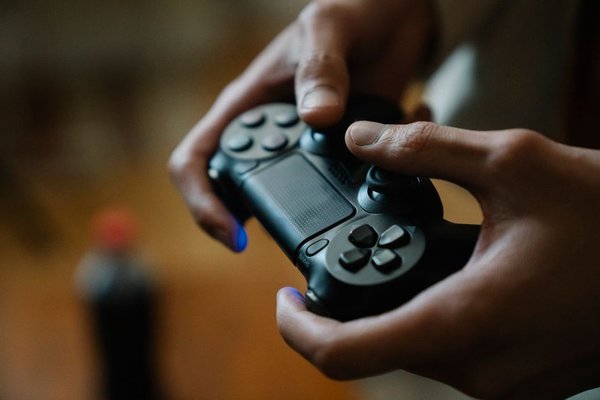
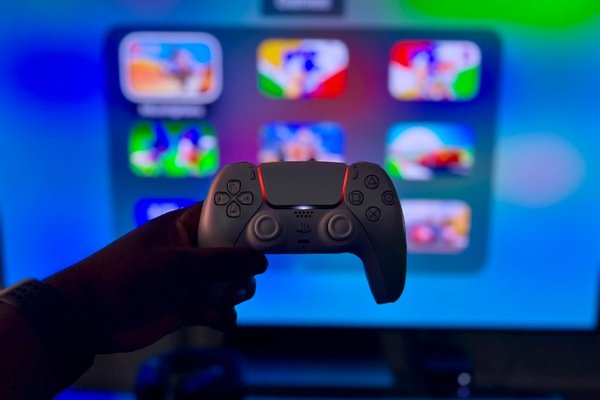
A console is often an easier foundation for a cheap gaming setup because the hardware, operating system and controller arrive together. An Xbox Series S is worth comparing for digital-only gaming, while refurbished alternatives may suit players with existing compatible games. The Series S has no disc drive, so consider digital game prices and storage before choosing it.
Some console games support up to 120 frames per second, but this depends on the game. A 120Hz monitor cannot make every title run at 120fps. Budget for subscriptions and extra storage if required.
PC: Flexibility With More Research
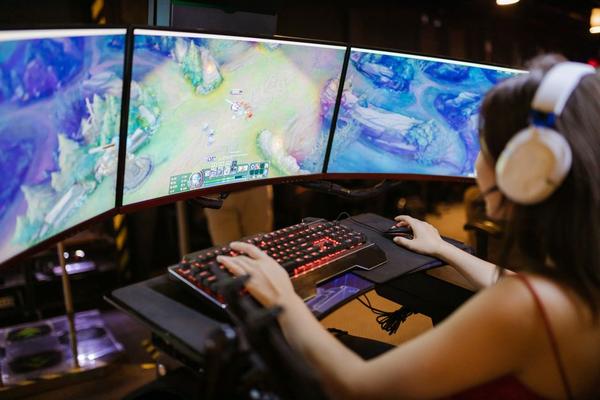
A gaming PC makes sense for PC-exclusive games, mods, keyboard-and-mouse play or schoolwork. Compare full specifications rather than advertisements promising a ‘gaming PC’. An old office desktop with colourful lighting might still lack a capable graphics card.
For affordable 1080p gaming, look for a balanced processor, 16GB of RAM, an SSD and a graphics card suitable for your chosen games. Check independent benchmarks for the exact card. Verify the power supply, cooling and upgrade options when buying used.
Match the Monitor to the Machine
A 24-inch 1080p monitor is a sensible starting point. It fits smaller desks and keeps PC graphics demands manageable. A 144Hz or 165Hz screen can be excellent for competitive PC gaming if your computer delivers high enough frame rates.
Console buyers should confirm the monitor supports their desired refresh rate over HDMI, not merely DisplayPort. Check resolution and variable-refresh compatibility. Do not pay extra for 4K just because it sounds future-proof: its added pixels demand more from budget PC hardware. Our gaming monitor buying guide can help compare relevant specifications.
Keep Headsets, Keyboards and Mice Sensible
A dependable headset matters more than a glowing stand. Look for comfortable ear cushions, clear voice chat and a microphone compatible with your system. A basic wired 3.5mm headset can be good value; check controller connections.
For PC gaming, a modest wired mouse with a reliable sensor and comfortable shape can beat a premium novelty design. An ordinary keyboard is enough to start. Console owners should keep the included controller until it needs replacing.
Explore our budget gaming headset guide and affordable gaming mouse comparison before spending extra on features you will rarely use.
How to Divide a Real UK Setup Budget
Imagine you have £750 to build a PC gaming corner from scratch. A planning split might be £450 for a checked refurbished desktop, £130 for a 1080p monitor, £45 for keyboard and mouse, £40 for a headset and £85 held back for postage, software, cables or unexpected costs. These are example spending limits, not guaranteed retail prices.
If no £450 computer can run your games acceptably, adjust the budget rather than buying weak hardware. Reuse an existing display, allocate more to the PC or save longer. Performance should get first claim on your money.
Gaming Setup Essentials to Buy First
Your basket needs a machine, suitable screen, working controls, audio and cables. Add a safe power arrangement, airflow and a comfortable seat. A second monitor, RGB strips, wall panels and premium desk accessories can wait.
Buying Refurbished and Second-Hand Gear in the UK
Compare new, refurbished and used offers from reputable retailers, refurbishers and private sellers. Include delivery, missing accessories, warranty terms and condition in the total cost. A bargain console without its controller can quickly become expensive.
When possible, ask to see used hardware boot and run a game. Look for excessive fan noise, faulty ports and display problems. Check that devices have been reset and activation locks removed. For PCs, confirm the exact processor, graphics card, memory and storage.
UK buyers generally have consumer protections when buying faulty or misdescribed used goods from a trader, but private sales have different rules. Keep proof of purchase and read the returns policy.
Budget Traps That Look Like Bargains
Expensive lighting cannot rescue a PC that struggles with your favourite game. Nor is a high-refresh monitor worthwhile if your device cannot deliver useful frame rates or the correct video signal.
Count ongoing costs too. Digital-only consoles cannot use discounted second-hand discs, while budget PCs may need a Windows licence, Wi-Fi adapter or extra storage. Affordable gaming gear is valuable only if it fits your complete setup.
Frequently Asked Questions
What is the best budget gaming setup in the UK?
For straightforward digital gaming, compare a suitable console and 1080p screen. For PC-exclusive titles and upgrades, consider a balanced refurbished PC, compatible monitor and simple wired peripherals. Your games should decide.
Is £500 enough for a gaming setup?
It can be, particularly if you own a television, monitor or accessories already. A complete new PC setup is harder at this price, so consider tested used hardware and realistic game-performance expectations.
Should I buy a 144Hz monitor for budget gaming?
It makes sense for compatible, fast-paced games if your device delivers high frame rates. For mainly 60fps titles, a reliable 60Hz or 75Hz screen may be better value.
Which accessories can I upgrade later?
RGB lighting, premium keyboards, wireless headsets, extra controllers and decorative desk equipment can usually wait. Begin with dependable controls, clear audio, a suitable display and comfortable seating.
Build Around Games, Not Setup Photos
The smartest budget gaming setup UK players can buy is often unglamorous at first. Choose capable hardware for your games, pair it with a compatible monitor and keep extras simple. Upgrade comfort and style later, one useful purchase at a time.